
Your quarterly IFTA report, ready in minutes.
Import your fuel card statements in one go, let FleetNord split distance and fuel by province and state, and get the tax owed or credit per jurisdiction. Every fill-up is tied to the right truck.
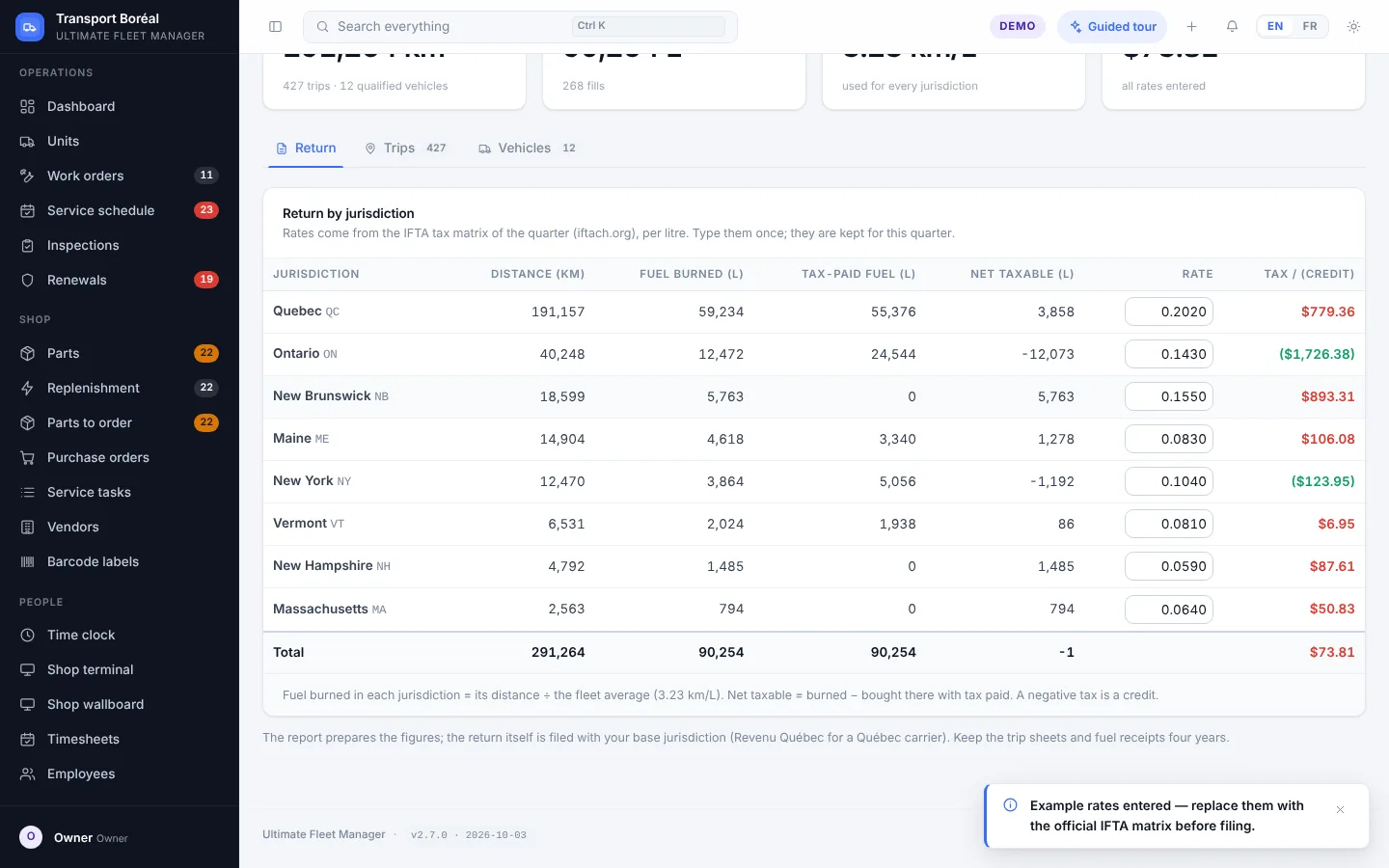
From fuel card statement to return
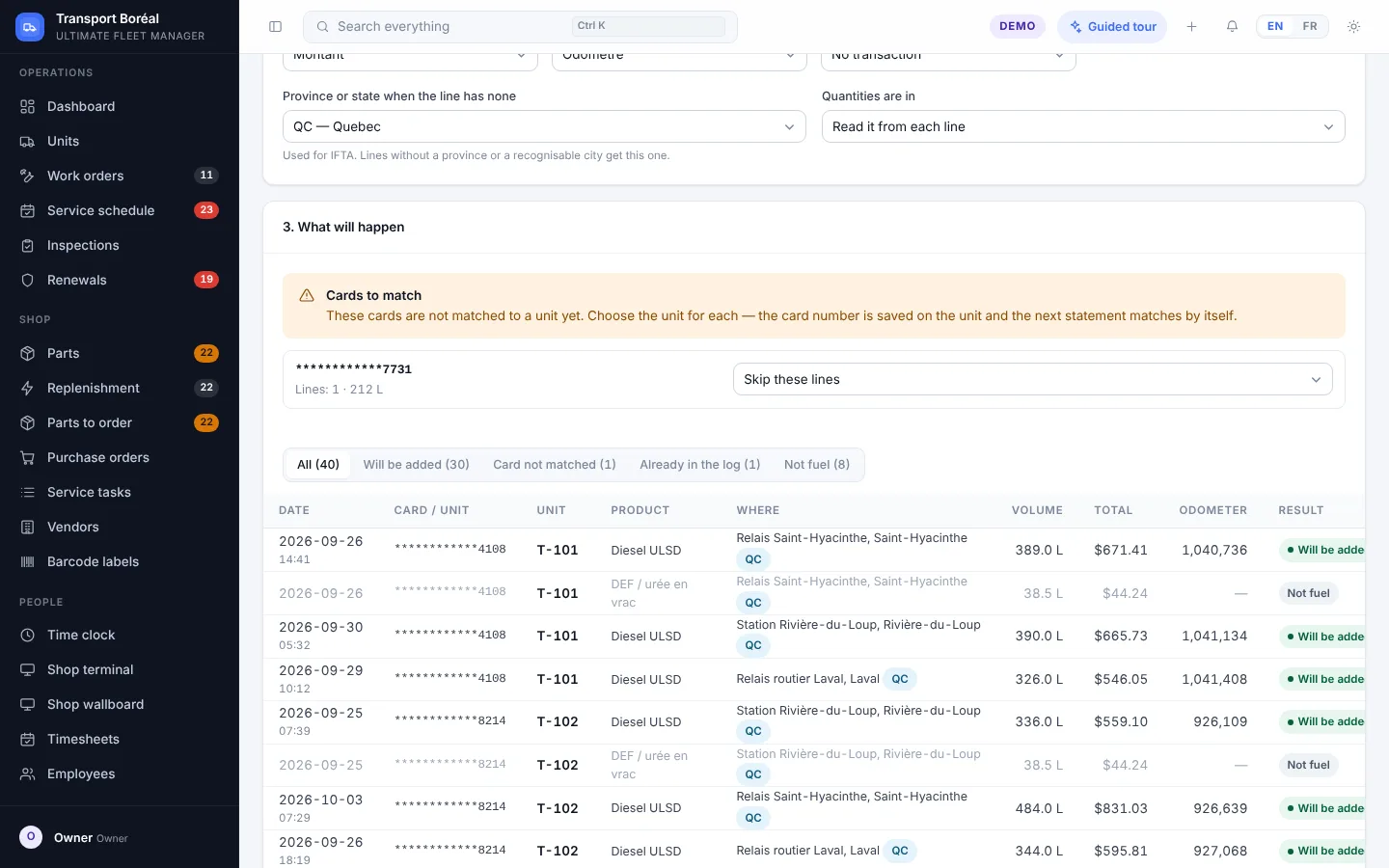
Fuel card import
Drop your card provider’s file: transactions are recognised, matched to units and duplicates skipped.
Distance by jurisdiction
Kilometres by province and state, entered per trip or received from telematics.
Tax or credit per jurisdiction
Quarterly rates are editable in settings; FleetNord calculates the balance per jurisdiction.
Fuel economy per truck
Litres per 100 km per unit and unusual fill-ups flagged: a card used twice the same day stands out.
IFTA units only
You choose which units are IFTA-qualified; the others stay out of the report.
Ready for your accountant
Printable, exportable report with per-unit detail for checking.
Who it’s for
For Québec carriers running into Ontario, the Maritimes or the United States who file an IFTA return every quarter.
Frequently asked questions
Are IFTA tax rates included?
Rates change every quarter: you enter (or update) them in FleetNord’s settings before producing the report. The demo’s rates are fictitious examples.
Which fuel cards can be imported?
FleetNord reads CSV or Excel statements from card providers; you match the columns once, then imports are automatic.
Does FleetNord file the official return?
FleetNord prepares the figures by jurisdiction; the return is then filed with your tax authority, by you or your accountant.
Other modules
See it with a real fleet.
The demo opens on a fictitious fleet of 26 units with 18 months of history. No sign-up.